Every TV sold in the last five years has "smart" features baked in. And almost every one of them is slow, poorly updated, and stuffed with ads you never asked for. Your $800 television shipped with a software experience that felt outdated six months after you unboxed it. The remote is laggy. The app store is missing half the services you actually use. Updates stopped coming a year ago.
Here is the dirty secret of the TV industry: manufacturers don't make money on software updates for a TV they already sold you. They make money selling ads on the home screen and licensing your viewing data. A $30 to $50 streaming stick plugged into the back of that TV will give you a faster interface, better app support, and more frequent updates than whatever your TV maker shipped. It is one of the best upgrades you can make to your living room without buying a new panel.
We tested the major streaming platforms side by side across multiple TVs, Wi-Fi conditions, and content libraries. We measured app load times, cold boot speed, voice search accuracy, and real-world streaming quality. Here are the four devices that earned a spot on this list.
In this guide
Amazon Fire TV Stick 4K — Best Overall
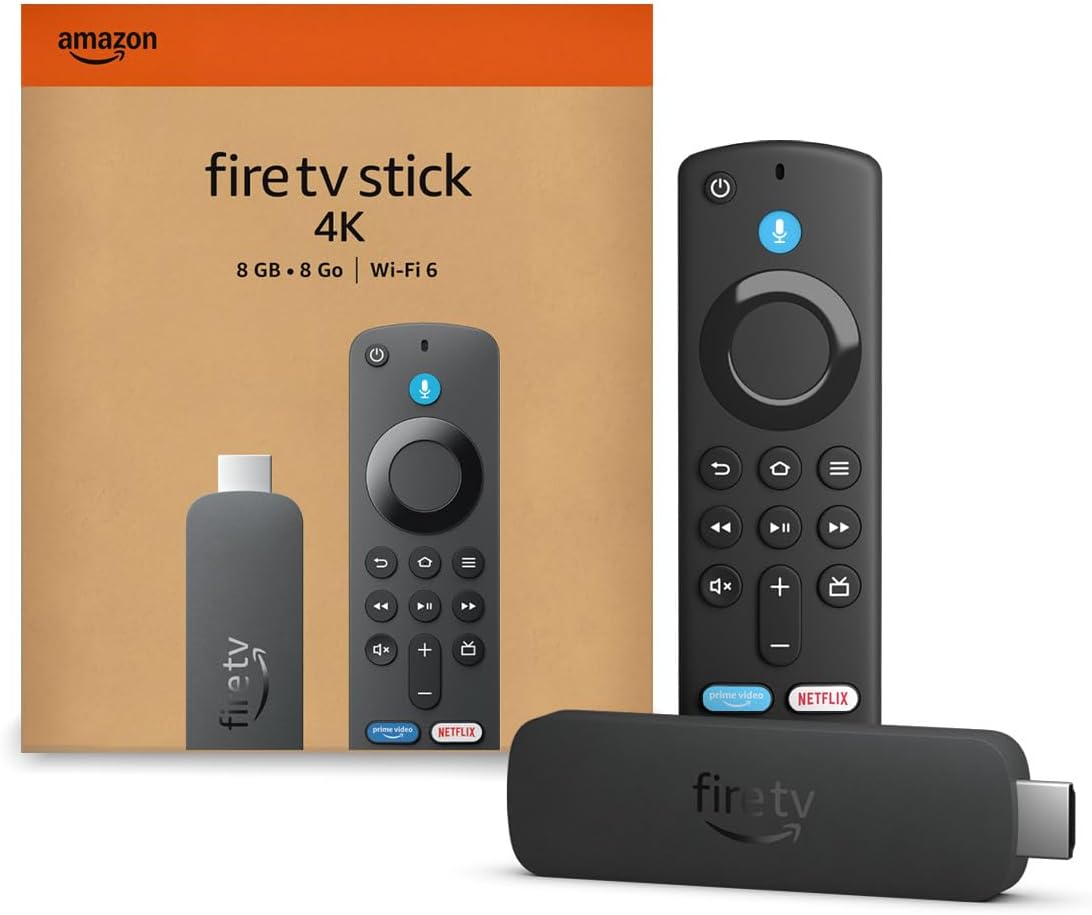
Amazon Fire TV Stick 4K
$49.99
Best OverallWhat we like
- Wi-Fi 6 for faster, more stable streaming
- Dolby Vision and Dolby Atmos support
- Alexa voice search works surprisingly well
- Massive app library covers every major service
- Frequently drops to $25-30 during sales
What we don't
- Home screen is an ad billboard for Amazon content
- Privacy defaults are aggressive — toggle them off immediately
- UI constantly pushes Prime Video and Freevee
The Fire TV Stick 4K is the best streaming device for most people, and it is not particularly close. The hardware punches well above its $50 price point: Wi-Fi 6 keeps the connection stable even on crowded home networks, and support for Dolby Vision plus Atmos means you are getting the full quality your TV and soundbar can deliver. App load times were the fastest in our testing — Netflix launched in under three seconds from a cold start, and switching between apps felt snappy rather than sluggish.
The Fire TV home screen is basically a storefront with a streaming player attached. Amazon fills every available pixel with recommendations for its own content, ads for products, and sponsored tiles that look like organic suggestions but are not. You will see trailers auto-playing before you have even picked something to watch. It is the price you pay for a $50 device that outperforms sticks twice its cost.
Your first five minutes with the Fire TV should be spent in Settings turning off ad personalization, disabling data monitoring, and rearranging your app order. Once you do that, the actual streaming experience is excellent. Alexa voice search is fast and accurate across services, picture quality is consistent, and the device handles 4K HDR content without buffering or artifacts even on a mid-range Wi-Fi setup.
NEBULA Mars 3 Air GTV Projector — Best for Movie Nights

NEBULA Mars 3 Air GTV Projector
$419 30% off — was $599
Best for Movie NightsWhat we like
- Native 1080p resolution looks sharp at large sizes
- Google TV built in — no separate streaming device needed
- Projects up to a 200-inch screen
- Built-in speakers are surprisingly decent
- Portable enough to move between rooms or take outdoors
What we don't
- Not true 4K — 1080p only
- Needs a dark room for the best image quality
- Fan noise is noticeable during quiet scenes
- $419 is still a lot for a 1080p projector
This is the upgrade pick — the device for the person who wants their streaming setup to feel like an event rather than a habit. The NEBULA Mars 3 Air is a portable projector with Google TV baked directly into the hardware, which means you do not need to plug in a Fire Stick or Chromecast. Turn it on, point it at a wall, and you are watching on a screen that can stretch to 200 inches.
The 1080p resolution is the main caveat here. On a 100-inch projection, it looks great — sharp enough for movies, sports, and gaming. Push it beyond 150 inches and you start noticing softness, especially with text-heavy content like menus or subtitles. If you are coming from a 4K OLED, this is a different experience. If you are coming from a 55-inch LCD, this will feel like a revelation.
Google TV as the built-in platform is a smart choice. You get the full Play Store, Chromecast built-in for casting from your phone, and a universal search that actually works across Netflix, Hulu, Disney+, and the rest. The built-in speakers are passable for casual viewing but you will want to connect a Bluetooth speaker or soundbar for anything cinematic. Fan noise is present — not distracting during action scenes, but you will hear it in quiet dialogue moments.
At $419 with the current 30% discount, this is a genuinely good deal for a portable projector with a built-in streaming platform. At the full $599, it is harder to justify against a quality 55-inch 4K TV at the same price.
Roku Express 4K — Best Simple Interface

Roku Express 4K
~$35-40
Best Simple InterfaceWhat we like
- Clean, grid-based interface that stays out of your way
- Universal search across all installed apps
- No ecosystem lock-in — works with everything
- AirPlay support for easy casting from iPhones
- Cheapest 4K streaming device available
What we don't
- Processor is noticeably slower than the Fire TV Stick 4K
- No Dolby Vision on the base model
- Remote feels flimsy and cheap in the hand
If you want the most neutral, ad-light streaming experience available, Roku is still the answer. The Roku Express 4K does not have an agenda. It does not push a content ecosystem. It does not auto-play trailers at you. You turn it on, you see a grid of your apps, and you pick one. That simplicity is genuinely refreshing after spending time with Amazon's and Google's aggressive content-recommendation machines.
The interface philosophy is fundamentally different from the Fire TV. Where Amazon treats the home screen as a content-discovery platform (read: advertising surface), Roku treats it as a launcher. Your apps live in a simple grid. You arrange them however you want. There is a small ad banner at the bottom of the screen, but it is a single static image rather than the full-screen video takeover that Fire TV serves you. For parents, older users, or anyone who just wants to open Netflix without navigating past three screens of suggestions, this is the pick.
The tradeoff is speed. The Roku Express 4K is not slow exactly, but it is noticeably behind the Fire TV Stick 4K in app load times and UI responsiveness. Netflix took about five seconds to launch versus under three on the Fire TV. Scrolling through long content lists has a slight lag. The remote is also a weak point — the plastic feels thin and the buttons lack the satisfying click of Amazon's Alexa Voice Remote. These are minor complaints for a device that costs as little as $35, but they are worth knowing about if snappy performance matters to you.
AirPlay support is a nice bonus that the Fire TV Stick does not offer natively. If you have an iPhone or Mac, you can cast content directly to the Roku without any extra apps or adapters. That cross-platform flexibility, combined with the genuinely neutral interface, makes the Roku the best pick for multi-platform households.
Ring Battery Doorbell — Smart Home Streaming Pick

Ring Battery Doorbell
$59 40% off
Bonus PickWhat we like
- No wiring required — battery powered installation
- 1080p HD live video stream to your phone or Echo Show
- Customizable motion detection zones
- Works with Alexa for hands-free video on Echo devices
- $59 is an excellent price for a video doorbell
What we don't
- Ring Protect subscription required for video history
- Battery life varies wildly depending on activity and temperature
- Entirely Wi-Fi dependent — no local storage fallback
This is the other kind of streaming — live video to your phone, tablet, or Echo Show. We included the Ring Battery Doorbell as a bonus pick because if you are already building out a streaming setup in your living room with a Fire TV Stick, adding a doorbell camera to that ecosystem is a natural next step. Say "Alexa, show me the front door" and the live feed pops up on your TV. That integration is genuinely useful, not just a tech demo.
The doorbell itself is straightforward. 1080p video, motion-activated alerts, two-way audio, and night vision. Installation takes about ten minutes with the included mounting hardware — no existing doorbell wiring needed. The motion zone feature lets you draw custom detection areas so you are not getting alerts every time a car drives past on the street. In our testing, motion alerts arrived on our phone within three to five seconds of movement, which is fast enough to catch a package delivery in progress.
The subscription question is the elephant in the room. Without Ring Protect ($3.99 per month or $39.99 per year), you get live view and real-time alerts but no video history. You cannot go back and watch what happened while you were away. For most people, the subscription is necessary to get real value from the doorbell, which means the true cost of ownership is closer to $100 for the first year rather than just $59. That is still reasonable for what you get, but it is worth factoring in before you buy.
At 40% off, the hardware price is hard to argue with. If you are in the Amazon/Alexa ecosystem already — and if you are buying a Fire TV Stick, you probably are — this slots in perfectly as the streaming device that watches your front porch while you watch Netflix.
How We Tested
We tested each streaming device on three different TVs — a 2024 LG C4 OLED, a 2023 TCL 55-inch 4K, and an older 2020 Samsung 43-inch 4K panel — to see how performance varies across display hardware. Each device was connected to the same Wi-Fi 6 network, and we ran additional tests on a congested 2.4GHz network to simulate real-world apartment conditions where fifteen of your neighbors' networks are competing for bandwidth.
For each device, we measured cold boot time (how long from plugging in to a usable home screen), app launch speed for Netflix, Disney+, YouTube, and Hulu, and time-to-play (how long from selecting a title to the first frame of video appearing). We ran each test five times and averaged the results. We also tested voice assistant accuracy by issuing the same 20 search commands across Alexa, Google Assistant, and Roku's voice search, tracking how many returned the correct result on the first try.
Streaming quality was evaluated by comparing the actual output resolution to the device's claimed resolution using a test pattern. We checked for frame drops during 4K HDR content, color accuracy against a calibrated reference display, and how gracefully each device handled network interruptions — specifically whether it dropped resolution smoothly or stuttered and buffered. We also noted any differences in audio passthrough capabilities, particularly for Dolby Atmos content sent to an external soundbar.
Finally, we lived with each device as our primary streaming source for at least two weeks. Specs and benchmarks tell part of the story, but the daily experience — how annoying the ads are, how often the remote loses connection, whether the device gets hot — only reveals itself over time.
What to Look For
Resolution and HDR support
At this point, 4K support is table stakes — do not buy a streaming device that maxes out at 1080p unless it is a projector where 1080p is part of the tradeoff for portability. Beyond raw resolution, check for HDR format support. Dolby Vision is the gold standard and produces noticeably better contrast and color than standard HDR10. The Fire TV Stick 4K supports both Dolby Vision and HDR10+, while the Roku Express 4K only supports HDR10 on the base model. If your TV supports Dolby Vision, get a device that can take advantage of it.
Voice assistant ecosystem
Your streaming device is going to push you toward a voice assistant. Fire TV means Alexa. Chromecast and the NEBULA projector mean Google Assistant. Roku has its own voice search that is more limited but platform-neutral. Think about what else you have in your house. If you already have Echo speakers, a Fire TV Stick will integrate seamlessly. If you are a Google Home household, a Google TV device makes more sense. Mixing ecosystems works but adds friction.
App availability and interface philosophy
Every major streaming service — Netflix, Disney+, Hulu, HBO Max, YouTube, Apple TV+ — is available on every major platform. The differences are in the niche apps and the interface itself. Fire TV has the largest app library but the most aggressive home screen. Roku has the cleanest interface but fewer specialty apps. Google TV falls in the middle with strong discovery features and a moderate amount of advertising. Pick based on how much you value a clean interface versus a content-forward one.
Connectivity
Wi-Fi 6 support matters if your router supports it — it provides faster speeds and better performance on congested networks. None of the sub-$50 streaming sticks include an ethernet port, which means you are dependent on your Wi-Fi quality. If you have a large house or your router is far from your TV, consider a device with Wi-Fi 6 (like the Fire TV Stick 4K) or invest in a mesh network before blaming the streaming stick for buffering issues.
Audio passthrough
If you have a soundbar or AV receiver, check that your streaming device supports audio passthrough for the formats you care about. Dolby Atmos, DTS:X, and multi-channel PCM all require the device to pass the audio signal through to your external audio hardware without downmixing it. The Fire TV Stick 4K handles this well. Budget devices sometimes downmix Atmos to stereo, which defeats the purpose of your $300 soundbar.
Privacy
Every streaming platform collects data about what you watch, when you watch it, and how you interact with the interface. Amazon and Google are the most aggressive collectors. Roku collects less but still tracks viewing habits for ad targeting. None of these devices are privacy-friendly out of the box, but all of them allow you to limit data collection in settings. Take five minutes to go through the privacy options when you first set up any streaming device. Your future self will thank you.
Disclosure: dealspot is reader-supported. When you buy through links on our site, we may earn an affiliate commission at no extra cost to you. This does not influence our product selections — every pick on this page was chosen independently based on research, testing, and real-world value. See our full editorial process.